
Cloud-Based vs. On-Premise WMS: Which Is Right for Your Warehouse?

When a business decides to replace spreadsheets or paper-based stock control with a warehouse management system (WMS), one of the first questions is where the software should live: on the vendor’s cloud or on your own servers.
Neither option is better for every warehouse. The right answer depends on your IT resources, number of sites, budget model, customization needs, internet reliability, and the data-hosting rules your business has to follow.
This guide explains the practical differences between cloud-based and on-premise WMS and gives you a simple process for choosing between them.
Not sure which WMS model fits your warehouse? Tell our team about your operation and we will help you think it through.
What Is a Warehouse Management System?
A warehouse management system is software that helps run day-to-day warehouse operations, from receiving goods to shipping orders.
Typical areas a WMS covers include:
- Inventory optimization and stock tracking
- Receiving and put-away
- Order picking, packing and fulfillment
- Stock counts and reporting
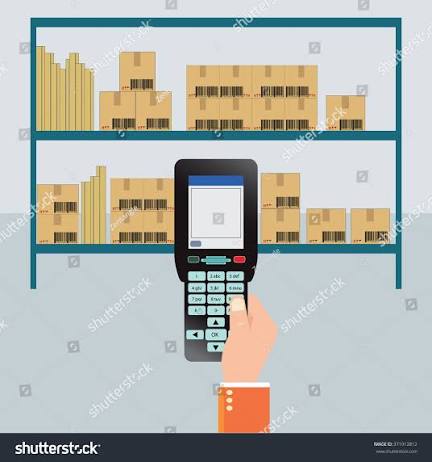
A WMS usually works together with barcode scanners, mobile computers, label printers and, in some operations, RFID, so that every stock movement is captured at the point where it happens.
Where the software is hosted, in the cloud or on your own servers, is called the deployment model. That is the decision this guide focuses on.
Cloud-Based vs. On-Premise WMS at a Glance
| Factor | Cloud-Based WMS | On-Premise WMS |
|---|---|---|
| Where it runs | On the vendor’s or a hosting provider’s servers | On servers you own or manage at your site or data centre |
| How you access it | Through a web browser or app over the internet | Usually over your internal network |
| Typical cost model | Recurring subscription | Software licence plus your own server and IT costs |
| Updates and maintenance | Usually handled by the vendor | Handled by your IT team or an IT partner |
| Multi-site access | Generally simpler to connect several sites | Needs network links or additional infrastructure |
| Control and customization | Depends on what the vendor allows | Typically more control over the environment |
| Internet dependence | Needs a reliable connection | Can keep working on the local network |
| Data location | Held on the hosting provider’s infrastructure | Held on infrastructure you control |
These are general differences. Individual products vary, so always confirm the details with the specific WMS you are considering.
How a Cloud-Based WMS Works
With a cloud WMS, the software and its data are hosted by the provider. Your team logs in through a browser or a mobile app, and the provider looks after the servers behind it.
Where cloud WMS tends to fit well
- Businesses without a dedicated IT team for server maintenance
- Companies with more than one warehouse, store or office that need the same stock view
- Operations that prefer a predictable subscription over a large upfront investment
- Growing businesses that expect their needs to change
Points to check
- How the system behaves if the internet connection drops
- Where your data is hosted and who can access it
- What the long-term subscription cost looks like as users grow
- How easily it connects to your ERP, POS or accounting software
How an On-Premise WMS Works
With an on-premise WMS, the software is installed on servers that your business owns or controls. Your IT team, or an IT partner, is responsible for hosting, backups, security and updates.
Where on-premise WMS tends to fit well
- Businesses with in-house IT resources
- Operations with strict internal rules about where data is stored
- Warehouses that need heavy customization or tight integration with existing internal systems
- Sites that want to keep running on the local network regardless of internet availability
Points to check
- Upfront cost of licences, servers and installation
- Who maintains servers, backups and security patches
- How upgrades are planned and tested
- What happens if a server fails
Some vendors also offer hybrid or privately hosted options, so it is worth asking what deployment choices a particular product supports.
Want a second opinion on your warehouse setup? Send us a short description of your sites, users and current process.
The Main Factors That Decide Cloud vs. On-Premise
1. IT Resources
On-premise software needs someone to maintain the servers, apply updates and manage backups. If you do not have that capability, a cloud WMS can reduce the workload on your team.
2. Budget Model
Cloud usually spreads cost over time as a subscription. On-premise usually involves more cost upfront. Compare total cost over several years, not just the first invoice.
3. Number of Locations
If stock is held in several warehouses or shared with stores, a single system everyone can reach is easier to manage. Ask how each option handles multi-site visibility.
4. Customization and Integration
List the systems your WMS must connect to, such as ERP, POS or accounting software. Then ask each vendor how those connections are built and who supports them.
5. Connectivity
A cloud WMS depends on internet access. Both models depend on good Wi-Fi coverage across the warehouse floor for handheld devices, so plan the network either way.
6. Data and Compliance Requirements
Check any data-hosting, security or audit requirements that apply to your business or customers before you shortlist products.
How to Choose the Right WMS Model
Step 1: Map Your Current Process
Write down how goods move through your warehouse today: receiving, storage, picking, packing and dispatch. Mark where errors and delays happen.
Step 2: List Your Requirements
Note the number of users, sites, items and daily orders, plus any integrations and reporting you need.
Step 3: Assess Your IT Capacity
Be honest about who would maintain the system after go-live.
Step 4: Compare Total Cost of Ownership
Include software, hosting or servers, devices, installation, training, support and upgrades over a realistic period.
Step 5: Plan the Hardware
Your scanners, mobile computers and printers must work with the WMS you choose. Confirm compatibility before you buy anything.
Quick Decision Guide
| If this describes you… | Lean towards |
|---|---|
| Small IT team, several sites, preference for subscription pricing | Cloud-based WMS |
| In-house IT, strict data-control rules, heavy customization | On-premise WMS |
| Unreliable internet at the warehouse | On-premise, or ask about offline options |
| Fast growth and changing requirements | Cloud-based WMS, or a flexible hybrid option |
Common Mistakes When Choosing a WMS
Comparing Only the Monthly Price
A subscription and a licence are not directly comparable. Look at the full cost over several years.
Ignoring the Warehouse Network
Weak Wi-Fi slows down handheld scanning in any deployment model.
Buying Software Before Planning Hardware
The WMS only knows what your devices capture. Decide on scanners, mobile computers and labels as part of the same project.
Skipping Staff Training
Even a well-chosen system underperforms if the team is not comfortable using it.
The Hardware Behind Your WMS
Whichever deployment model you choose, a WMS depends on accurate data capture on the warehouse floor. Pointus Solutions supplies the devices that typically sit alongside it:
- Mobile computers and PDAs for scanning during receiving, picking and stock counts
- Barcode scanners, including wireless 2D models
- Thermal label printers and labels and ribbons
- RFID solutions for tracking at scale
You can also read more about our supply chain and warehouse management solutions.

A Simple WMS Selection Checklist
- How many warehouses or sites need access?
- How many users and devices will use the system?
- Who will maintain the software after go-live?
- Which systems must the WMS connect to?
- How reliable is internet and Wi-Fi coverage at each site?
- Are there data-hosting or compliance requirements?
- What is the total cost over a realistic period?
- Which scanners, printers and mobile computers will you use?
- What training and support will the vendor provide?
Conclusion
Cloud-based WMS generally offers simpler access, easier multi-site visibility and less infrastructure to manage. On-premise WMS generally offers more control over the environment and data, in exchange for more responsibility on your own IT team.
The right choice comes from your own operation: your IT resources, sites, budget, integrations and compliance needs. Choose the software and the hardware that captures its data together, and you will get far more from either model.
Ready to Plan Your Warehouse Technology?
Tell Pointus Solutions about your warehouse and we will recommend the right hardware and software, configured and ready to deploy.
Cloud vs. On-Premise WMS, Answered
A WMS is software that helps manage warehouse operations such as inventory tracking, receiving, picking, packing and shipping, so stock and orders are handled accurately and efficiently.
A cloud-based WMS is hosted by a provider and accessed over the internet, usually on a subscription. An on-premise WMS is installed on servers your business controls, and your team is responsible for maintaining it.
Not necessarily. Cloud spreads cost over time, while on-premise usually costs more upfront. Which is cheaper depends on the product, the number of users and how long you use it, so compare total cost over several years.
Yes, a cloud WMS generally needs a reliable internet connection. Ask each vendor how the system behaves during a connection loss, and make sure Wi-Fi coverage is planned for the whole warehouse.
Warehouses commonly use mobile computers, barcode scanners, label printers and sometimes RFID. Always confirm that the devices you choose are compatible with the WMS you plan to use.
It is often possible, but it depends on the product and how your data and integrations are set up. Ask vendors about migration options and data export before you commit.
Pointus Solutions, based in Hawally, Kuwait, offers supply chain and warehouse management solutions together with barcode, RFID, mobile computing and printing hardware. Contact the team on +965 9742 3453 or WhatsApp.