How Much Does a POS System Cost in Kuwait? A 2026 Price Breakdown
Nobody gives you a straight number when you start shopping for a POS system — because there isn’t one. Here’s what actually makes up a POS system’s price in Kuwait, and how to compare quotes properly.
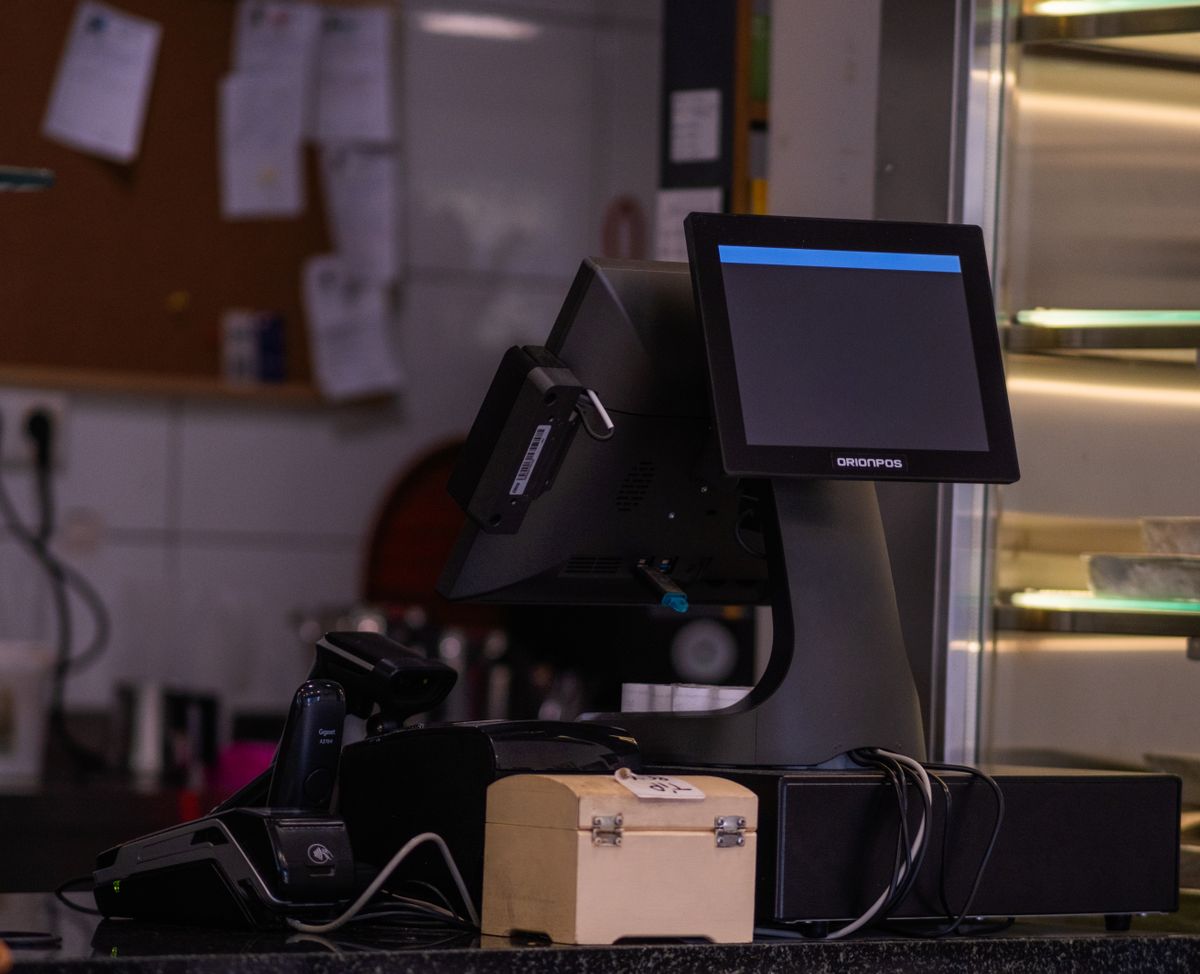
A POS system’s price is really four line items bundled together — hardware, software, setup, and ongoing support — and quotes vary widely because vendors bundle them differently. Know what’s included before comparing numbers.
Key Takeaways- Every POS quote covers some mix of hardware, software licensing, setup, and support — ask which.
- Hospitality POS setups (restaurants, cafés) cost more than basic retail counters due to table/kitchen features.
- Cloud/subscription software has lower upfront cost; one-time licenses cost more upfront but nothing recurring.
- Buying tends to win long-term for stable setups; leasing suits businesses still scaling or changing fast.
- Consumables, support plans, and payment gateway fees are ongoing costs many buyers forget to budget for.
If you’ve started shopping for a POS system in Kuwait, you’ve probably noticed the same problem every buyer runs into: nobody gives you a straight number. That’s because there isn’t one — a single-till coffee shop and a three-branch restaurant group are paying for very different setups, even though both are technically buying “a POS system.”
What a POS System Price Actually Includes
A POS quote is rarely one line item. It usually covers some combination of:
- Hardware — the terminal, receipt printer, barcode scanner, and cash drawer.
- Software — the POS application itself, licensed as a one-time purchase or a monthly subscription.
- Setup & installation — configuring the system, loading your product catalog, and staff training.
- Support & maintenance — ongoing technical support, updates, and repairs.
Separating these buckets makes it much easier to compare vendors — two “POS system” quotes can look wildly different simply because one includes hardware and the other doesn’t.
Typical Cost Components
| Component | What It Does | Typical Range |
|---|---|---|
| All-in-one POS terminal | Touchscreen till running the POS software | Entry-level to mid-range, by screen size & power |
| Receipt printer | Prints customer receipts | Budget to mid-range for thermal models |
| Barcode scanner | Scans products at checkout | Budget handheld/wired, higher for wireless 2D imagers |
| Cash drawer | Secure cash storage | Generally the lowest-cost component |
A basic single-terminal hardware bundle sits at the lower end of the spectrum; ruggedized or multi-terminal setups push the total up. Software is typically sold as a one-time license (higher upfront, no recurring fee) or a monthly/annual subscription (lower upfront, includes updates and often cloud backup).
What Affects the Price
Retail vs. Hospitality
Hospitality systems (restaurants, cafés, hotels) cost more than basic retail setups because they need table/order management, kitchen display routing, split billing, and tips handling. A retail counter mainly needs fast barcode scanning and inventory sync.
Terminals & Locations
Cost scales with terminal count, but multi-terminal and multi-branch setups often unlock volume pricing on hardware and centralized licensing — worth asking about if you’re opening more than one location.
Cloud vs. On-Premise
Cloud POS usually has lower upfront cost with a recurring fee; on-premise costs more upfront but nothing recurring beyond support. Cloud also makes it easier to check sales data remotely across branches.
Integrations
A POS that just processes sales costs less than one integrated with real-time inventory, barcode stock tracking, or loyalty/CRM. If you’re running inventory-heavy retail, budget for barcode hardware and inventory software upfront rather than adding it later.
Buying vs. Leasing
Buying outright usually costs less over the long run if you plan to keep the same setup for several years. Leasing or subscribing costs less upfront and suits newer businesses still scaling or expecting to change setups.
How to Avoid Overpaying
- Ask what’s excluded, not just what’s included — installation, training, and support are common add-ons.
- Match hardware to your actual transaction volume — a high-spec terminal is wasted on a low-volume shop.
- Check consumable compatibility — some printers require proprietary paper/ribbons that cost more long-term.
- Confirm local support availability — a cheaper system with no local technician support can cost more in downtime.
FAQs
Is it cheaper to buy or lease a POS system?
Buying is usually cheaper long-term if you’ll keep the same setup for several years. Leasing costs less upfront and suits newer, still-scaling businesses.
Do POS systems in Kuwait require a monthly subscription?
Not always — some vendors offer one-time licensed software with no recurring fee; others run on subscription with cloud backup and updates included.
What ongoing costs should I budget for?
Consumables (receipt paper, barcode labels), any support/maintenance contract, and payment gateway fees from your bank — these continue regardless of how you bought the core system.
Every business’s POS needs are different, and the only way to get an accurate number is a quote based on your actual setup. Pointus Solutions works directly with certified POS hardware and software across retail and hospitality in Kuwait — barcode scanners, receipt and label printers, and full checkout bundles.