
How Does a Queue Management System Work? A Guide for Banks & Hospitals in Kuwait
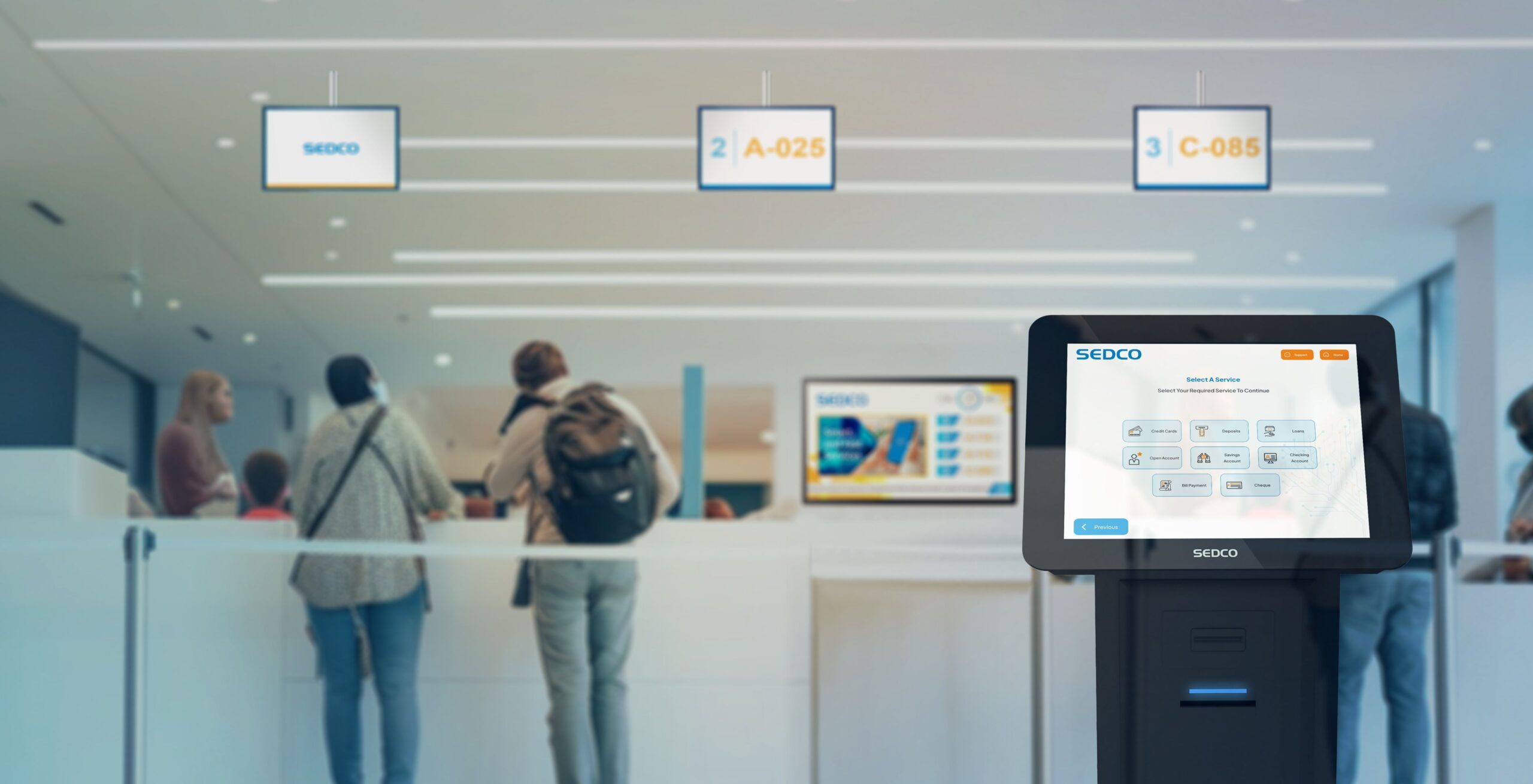
Walk into most bank branches or hospital reception areas in Kuwait and you’ll see the same scene: a cluster of people standing or sitting, unsure how long the wait actually is, watching the counter for any sign of movement.
A queue management system (QMS) replaces that uncertainty with structure. But “queue management system” gets used loosely — sometimes to mean a single ticket printer, sometimes a full software platform. For a bank or hospital deciding whether to invest in one, it helps to understand exactly what’s happening behind that ticket number, from the moment a visitor walks in to the moment they’re called to a counter.
This guide breaks down how a queue management system actually works, and what that means specifically for branches and facilities that deal with a mix of walk-ins, appointments, and priority cases.
Managing long lines at your branch or facility? Tell us your counter count and daily footfall and we’ll recommend the right queue setup.
The Problem With Unmanaged Queues
Without a structured queuing system, every branch or facility visit runs into the same set of problems:
- Long, disorganized waiting lines
- No visibility into wait times
- Uneven counter workloads
- Frustrated, walk-out customers or patients
- No data on service performance
- Appointments and walk-ins colliding at the same counter
For a bank, that last point often means a customer with a scheduled appointment stuck behind ten walk-ins. For a hospital, it can mean a patient with an urgent referral waiting the same amount of time as someone booking a routine check-up. A queue management system exists specifically to solve this kind of collision.
How a Queue Management System Works, Step by Step
The Visitor Checks In
A visitor joins the queue either at a self-service kiosk on arrival, or remotely. Check-in can identify the visitor by ID card, mobile number, QR code, or fingerprint, giving the system a fast, secure starting point rather than a blank paper ticket.
A Ticket Is Issued
The kiosk issues a ticket instantly, routing the visitor to the correct queue based on the service they selected — a specific counter type, department, or service category, rather than one single line for everyone.
Priority and Appointment Rules Are Applied
The system automatically prioritizes visitors by customer segment, urgency, or existing booking — blending walk-ins with appointments according to the branch’s own rules, rather than strict first-come-first-served for every case.
The Visitor Waits — Informed, Not Blind
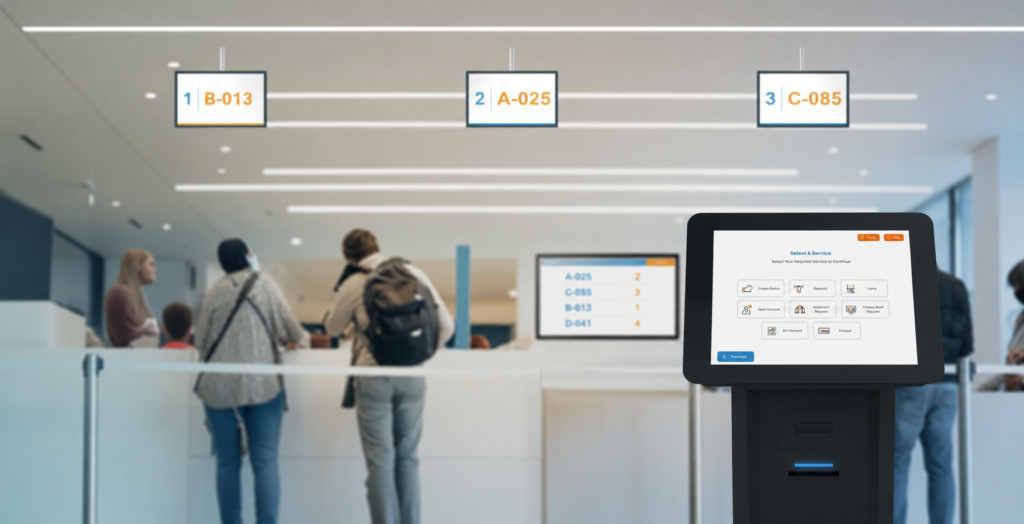
Digital signage and call displays show clear on-screen and audio calling, so visitors know where they stand without needing to keep walking up to ask. Mobile and virtual queuing options also let visitors track their position and get notified remotely, rather than needing to physically stand in the waiting area the whole time.
Staff See Live Counter Data
A branch manager dashboard lets staff monitor every counter live, reallocate staff to busy service points, and manage multiple branches from a single screen — turning what used to be a guess into a real-time operational view.
The Visit Is Logged for Reporting
Once served, the visit becomes part of the system’s service data — feeding reports on wait times, counter performance, and traffic patterns that management can use to plan staffing and identify bottlenecks.
What’s Actually Inside a Queue Management System
A queue management deployment combines six functional pieces, each covering a different part of the visitor journey:
- Smart ticketing kiosks — self-service kiosks that issue tickets instantly, routing each visitor to the right queue
- Flexible check-in — identifying visitors by ID card, mobile number, QR code, or fingerprint for a fast, secure start
- Priority and appointment routing — automatically prioritizing by customer segment, urgency, or booking, blending walk-ins with appointments
- Branch manager dashboard — monitoring every counter live, reallocating staff, and managing multiple branches from one screen
- Digital signage and call displays — clear on-screen and audio calling that keeps visitors informed and waiting areas calm
- Mobile and virtual queuing — letting visitors grab a ticket, track their position, and get notified, all from their phone
The Hardware Behind the Ticket: What’s Inside a Ticketing Kiosk
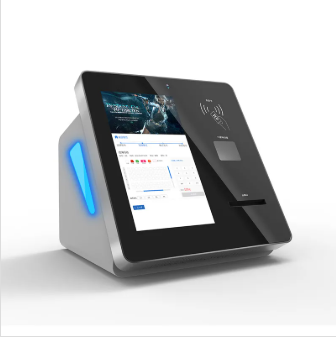
It’s worth seeing what a real ticketing kiosk actually contains, since “queue management hardware” can otherwise sound abstract. The Pointus Queue Ticket Dispense Machine, for example, is an industrial-grade multi-function kiosk built for 24/7 continuous operation in high-traffic indoor environments such as bank branches and hospitals.
- Cabinet: 1.5mm–2.5mm cold-rolled steel frame with moisture-proof, anti-rust, anti-vandal, and static-free finish
- Display: 17-inch or 19-inch LCD/TFT touch screen (optional 8″–65″), with tempered-glass touch technology rated for more than 50 million touches
- Processing: Industrial motherboard with Intel Dual Core or Core i3/i5/i7 CPU, 2GB–8GB RAM, 500GB storage, running Windows or Linux
- Ticket printing: Epson thermal receipt printer with auto-cutter, 80mm paper width
- Connectivity: 6 RS-232 ports, 6 USB ports, 10/100M network port, integrated sound and network cards
- Power: 110–240V AC input with UPS backup support (3–20 minutes), so a brief power interruption doesn’t take the ticketing counter offline
Optional modules — barcode/QR scanners, ID card readers, RFID card readers, or a secondary advertising screen — can extend a base ticketing kiosk into a check-in or payment terminal depending on what the branch actually needs.
Want to see the ticketing kiosk in person? We can walk you through the hardware and how it integrates with priority routing and dashboards.
Why This Matters More for Banks
Bank branches deal with a particular mix: high-value transactions that need a private counter, routine transactions that can move fast, and an increasing share of customers who booked an appointment online and expect it to count for something when they arrive.
Priority and appointment routing is what actually resolves that mix — automatically prioritizing by customer segment, urgency, or booking rather than forcing every visitor into the same line. Integration matters here too: a queue management solution can integrate with a bank’s CRM, core banking, or other business systems to pull customer data and log service outcomes, so a customer’s service history and preferences travel with their ticket rather than starting from zero at the counter.
Why This Matters More for Hospitals
In a hospital or clinic, an unmanaged queue isn’t just an inconvenience — it can mean a patient with an urgent case waiting behind routine appointments, or reception staff manually trying to track who arrived first among dozens of people at once.
The same priority-routing logic applies, but the stakes are different: urgency-based prioritization can route a walk-in patient ahead of a routine booking based on the facility’s own triage rules, while digital signage and call displays keep a waiting room calm and informed instead of anxious about being missed. A branch manager dashboard applied to a hospital context gives reception and department heads live visibility into which service points are backed up, so staff can be reallocated before a queue spirals.
Not sure how priority routing would work for your branch or department? Tell us your walk-in vs appointment mix and we’ll map out the routing rules.
How a Queue Management Rollout Actually Happens
A queue management system isn’t dropped in overnight. Deployment typically follows six stages, from branch assessment to go-live:
1. Assess
Studying the branch’s or facility’s service points and customer flow — where people arrive, what services they need, and where existing bottlenecks already occur.
2. Design
Mapping queues, priorities, and routing rules — deciding, for example, how a bank appointment should interleave with walk-ins, or how a hospital’s triage priority should be reflected in the queue logic.
3. Supply Hardware
Kiosks, digital displays, and check-in devices sized to the branch or facility.
4. Install
On-site setup across counters and branches.
5. Train
Onboarding staff and branch or department managers on the dashboard and day-to-day operation.
6. Support
Ongoing managed services and reporting once the system is live.
What a Queue Management System Changes in Practice
| Area | Before | After |
|---|---|---|
| Wait time visibility | None — visitors guess how long they’ll wait | Real-time ticket status and estimated calls |
| Counter workload | Uneven — some counters idle, others backed up | Balanced via live dashboard and staff reallocation |
| Walk-ins vs appointments | Collide at the same line | Blended by rule-based priority routing |
| Branch/facility oversight | Per-branch, manual | Centralized, multi-branch dashboard |
| Service reporting | Little to no data | Data-driven reporting on wait times and performance |
Choosing a Queue Management Partner in Kuwait
Pointus Solutions deploys smart queue management — ticketing kiosks, mobile check-in, priority-based routing, and real-time branch dashboards — to cut wait times and turn every visit into a smoother experience across Kuwait.
Beyond banking and healthcare, the same queue logic is deployed across government and public sector offices, telecom, retail, education, money exchange, and hospitality — any setting with a service counter and a mix of visitor types.
Pointus is based at Zainah Tower, Office B-15, Tunisia Street (Opp. Xcite), Hawally, Kuwait, and brings more than 10 years of experience across 9 industries, with hardware sourced through 20+ brand partnerships.
Ready to cut the wait at your branch or facility? Talk to Pointus Solutions about a queue management system built around your counters and visitor flow.
A Simple Checklist Before You Deploy
Before evaluating a queue management system for your branch or facility, confirm these points:
- How many counters or service points need to be covered?
- What’s your typical daily footfall, and does it spike at certain times?
- Do you need to blend appointments with walk-ins, or is it walk-in only?
- Does the service require priority or triage-based routing?
- Do you need to manage a single branch or multiple branches from one dashboard?
- Should the system integrate with your existing CRM or core system?
- What check-in methods make sense for your visitors — ID card, mobile, QR, fingerprint?
- Who will own ongoing reporting and staff reallocation once it’s live?
Answering these before deployment makes it far easier to design routing rules that actually match how your branch or facility runs.
Conclusion
A queue management system isn’t just a ticket printer at the door. It’s a chain of check-in, routing, display, and reporting that turns an unpredictable line into a managed, visible process — from the moment a visitor checks in to the report a manager reviews afterward.
For banks, that means blending appointments with walk-ins and connecting queue data to core banking or CRM systems. For hospitals, it means routing based on urgency and keeping a waiting room informed rather than anxious. In both cases, the underlying mechanics are the same six steps: check-in, ticketing, priority routing, informed waiting, live staff visibility, and reporting.
For banks, hospitals, and other service-counter operations in Kuwait, Pointus Solutions supplies and supports queue management systems — ticketing kiosks, mobile check-in, priority routing, and branch dashboards — built around each facility’s actual visitor flow.
Ready to Cut the Wait?
Talk to Pointus Solutions about a queue management system built around your branches and customer flow.
Queue Management Systems, Answered
A QMS is a solution that organizes how customers are served — issuing tickets, routing visitors to the right counter, and giving staff and managers real-time visibility over wait times and service flow.
Yes. The system blends pre-booked appointments with walk-in traffic, prioritizing visitors fairly based on the branch or facility’s own business rules.
Yes. Managers can monitor and control queues across multiple branches from a single centralized dashboard.
Yes. The queue management solution can integrate with a CRM, core banking, or other business systems to pull customer data and log service outcomes.
Ticketing kiosks, digital signage, LED call displays, and check-in devices — all supplied, installed, and supported by Pointus Solutions.
By ID card, mobile number, QR code, or fingerprint — depending on which flexible check-in method is enabled for the branch or facility.
Yes. Priority and appointment routing automatically prioritizes visitors by customer segment, urgency, or booking, which a hospital can configure around its own triage rules.
Yes. Mobile and virtual queuing lets visitors grab a ticket, track their position, and get notified, all from their phone.
Banking & finance, healthcare, government & public sector, telecom, retail, education, money exchange, and hospitality all use queue management for service counters.
Pointus Solutions deploys queue management systems — ticketing kiosks, mobile check-in, priority routing, and branch dashboards — for banks, hospitals, and other service-counter operations across Kuwait.