What Is a Mobile Computer (Handheld Terminal) and Why Do Warehouses Need One?
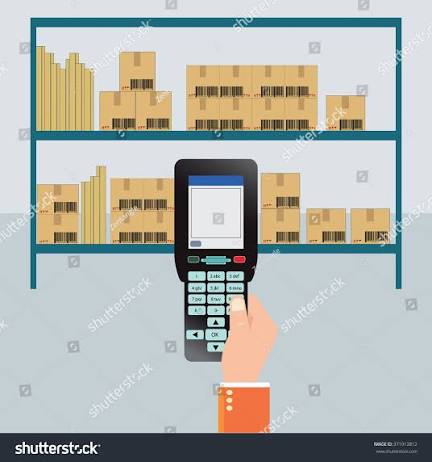
A warehouse worker holding a consumer smartphone to scan barcodes is a common sight — and a common mistake. Phone cameras aren’t built for rapid-fire barcode scanning, phone bodies aren’t built to survive a drop onto concrete, and a general-purpose Android app isn’t built to talk to a warehouse management system in real time.
A mobile computer — also called a handheld terminal or industrial PDA — is purpose-built for exactly this job. It looks similar to a phone from across the room, but almost nothing else about it is the same.
This guide explains what a mobile computer actually is, what makes it different from a phone, and why warehouses specifically rely on them.
Outfitting a warehouse team with handheld terminals? Tell us your headcount and workflow and we’ll recommend the right device.
What Is a Mobile Computer (Handheld Terminal)?
A mobile computer is a rugged, handheld device that combines a barcode scanner, a computer running business applications, and wireless connectivity in one unit. It’s also called a handheld terminal, industrial PDA, or enterprise mobile computer.
Unlike a phone that happens to have a camera, a mobile computer is engineered around the scanning task itself — with a dedicated scan engine, a trigger for rapid one-handed scanning, and a body designed to survive being dropped, exposed to dust, or used in cold storage all day, every day, for years.
Zebra’s TC2X Series, for example, is described as a family of devices offering smartphone-like styling and pricing backed by enterprise-grade durability and features — combining the familiarity of a consumer phone with the reliability a business actually needs on the floor.
Mobile Computer vs Consumer Smartphone: What’s Actually Different
| Factor | Consumer Smartphone | Mobile Computer / Handheld Terminal |
|---|---|---|
| Barcode scanning | Camera app, slow and error-prone at volume | Dedicated scan engine built for rapid, accurate reads |
| Durability | Cracks or fails from drops on hard floors | Rugged, drop- and tumble-rated for warehouse floors |
| Environmental protection | Not rated for dust, moisture, or extreme temperature | IP-rated against dust and water; rated for cold storage and sub-zero use |
| Battery | Fixed, not swappable mid-shift | Often removable/hot-swappable for continuous shift use |
| Software management | Consumer app store, no fleet management | Enterprise device management across a whole fleet |
| Accessory ecosystem | None built for warehouse use | Trigger handles, vehicle docks, wearable mounts, charging cradles |
| Lifecycle | Replaced every 1–2 years | Built for a multi-year deployment lifecycle |
A device like the Zebra TC201 illustrates the gap directly: it uses a purpose-built scan engine capable of reading barcodes up to 100 feet (30 meters) away, features Corning Gorilla Glass protecting both the display and scanner exit window, and is rated to handle higher drops and more tumbles than earlier-generation devices — none of which a standard phone is designed for.
Why Warehouses Specifically Need Mobile Computers
A warehouse floor puts more demands on a device than almost any other environment: constant scanning, physical handling, drops, dust, and sometimes cold storage — all repeated thousands of times a day across a whole team.
Scanning Speed and Accuracy at Volume
Receiving, put-away, picking, and shipping all depend on fast, accurate barcode reads. A dedicated scan engine, rather than a phone camera, is what makes high-volume scanning practical without slowing down operations or introducing scan errors.
Durability Under Daily Wear
Warehouse devices get dropped from pallet height, knocked against racking, and handled by multiple shifts of workers. Rugged mobile computers are built and tested for exactly this kind of repeated physical stress, where a consumer phone would fail within weeks.
Real-Time Connection to Warehouse Systems
Every scan needs to update a warehouse management or inventory system immediately — not sync later. Enterprise mobile computers are built for constant, reliable wireless connectivity (Wi-Fi and, on some models, cellular) so that a pick, a put-away, or a shipment confirmation reflects in the system the moment it happens.
All-Shift Battery Life
A warehouse shift can run 8–12 hours of continuous scanning. Devices built with removable or hot-swappable batteries let a worker keep the device running without downtime, simply swapping a battery rather than waiting for a full recharge.
Fleet-Wide Management
A warehouse doesn’t deploy one device — it deploys dozens or hundreds. Enterprise mobile computers support centralized device management, letting IT push updates, monitor device health, and enforce security policies across the whole fleet from one place, something consumer phones simply aren’t built to support at scale.
Managing a fleet of handheld devices already? We can help you standardize on the right model and keep your fleet running with managed services.
Real Handheld Terminals for Warehouse Use
Pointus lists the Zebra TC201 and Zebra TC101 handheld terminals in its Mobile Computers & PDAs range — both part of Zebra’s rugged enterprise mobile computer lineup, built for exactly the conditions described above.
Zebra TC201 — Next-Generation Rugged Handheld
The Zebra TC201 is the newest device in Zebra’s TC2x Series, combining smartphone-like styling with enterprise-grade durability and next-generation connectivity.
- Display: 6-inch Full HD+ display, protected by scratch- and shatter-resistant Corning Gorilla Glass
- Connectivity: Wi-Fi 7 and 5G (on WAN configurations), plus Bluetooth
- Scanning: Advanced-range scan engine capable of reading barcodes up to 100 feet (30 meters) away, with optional RFID
- Durability: IP68/IP65-rated, waterproof and dustproof, rated for higher drops and more tumbles than prior TC2x generations; sub-zero temperature rating down to -4°F (-20°C)
- Battery: User-removable, with optional hot-swap so the device stays running during battery changes
- Cameras: 16MP rear-facing camera and 5MP front-facing camera
Zebra TC101 — Affordable Frontline Mobility
The Zebra TC101 brings affordability to frontline mobility, building on the legacy TC1 Series with a more rugged design and effortless data capture for teams that need reliable scanning without the premium price point of a flagship device.
- Connectivity: 5G speed and Wi-Fi 6
- Design: Consumer-style body combined with next-generation processing power and a more rugged construction for a longer lifecycle than consumer devices
- Management: Built with Zebra DNA tools to streamline frontline workflows and reduce device management time and effort
- Ideal for: Teams that want enterprise-grade reliability at a more accessible price point than higher-end rugged devices
How to Choose the Right Mobile Computer
Step 1: Match Ruggedness to the Environment
A cold-storage warehouse, an outdoor yard, and a climate-controlled distribution center all put different physical demands on a device. Check IP rating (dust/water resistance) and operating temperature range against your actual conditions, not just a general “rugged” label.
Step 2: Check the Scan Range You Actually Need
Close-range scanning at a pack station has very different requirements from long-range scanning of high-rack pallet labels. Standard-range and advanced-range scan engines exist specifically to match these different use cases.
Step 3: Plan for Shift Length
For long or multi-shift operations, a removable or hot-swappable battery avoids downtime that a fixed, non-swappable battery would create.
Step 4: Consider Connectivity Needs
A single-site warehouse may only need reliable Wi-Fi. A team that moves between sites or works in the field benefits from cellular (5G) connectivity so the device stays connected outside Wi-Fi range.
Step 5: Think About Fleet Size and Management
A handful of devices can be managed manually. A larger fleet benefits from centralized device management tools that let IT push updates and monitor device health across every unit from one dashboard.
Common Mistakes When Choosing Warehouse Handheld Devices
Using Consumer Phones to Save Upfront Cost
A cheaper consumer phone often costs more over time through frequent replacements, slower scanning that costs labor hours, and no fleet management — the total cost of ownership usually favors a purpose-built device.
Over-Buying Ruggedness You Don’t Need
Not every warehouse needs the most extreme-rated device on the market. Matching the IP rating and drop rating to your actual environment avoids paying for protection the job doesn’t require.
Ignoring Battery Strategy
Assuming a device will “last the shift” without planning for swap or charge cycles can leave workers with dead devices mid-shift — plan battery logistics as part of the rollout, not an afterthought.
Skipping Accessory Planning
Trigger handles for rapid scanning, vehicle docks for in-vehicle transitions, or wearable mounts for hands-free work can significantly change how usable a device is for a specific role — these are worth planning for at purchase, not bolted on later.
Choosing a Mobile Computer Partner in Kuwait
Deploying handheld terminals well means matching the right device to your actual warehouse environment, then supporting the fleet over its full lifecycle — not just buying hardware off a shelf.
Pointus Solutions is an authorized Zebra partner in Kuwait, supplying rugged mobile computers and PDAs including the TC201 and TC101, backed by more than 10 years of experience across 9 industries and managed services including buffer device pools, rapid swaps, repair, and 24/7 helpdesk support.
Pointus is based at Zainah Tower, Office B-15, Tunisia Street (Opp. Xcite), Hawally, Kuwait.
Ready to equip your warehouse team? Reach out with your headcount and workflow and we’ll recommend the right handheld terminal.
A Simple Checklist Before You Buy
Before choosing a mobile computer for your warehouse, confirm these points:
- What environmental conditions will the device face — dust, moisture, cold storage, outdoor use?
- What scan range do your workflows actually need — close-range or long-range?
- How long are your shifts, and do you need a removable or hot-swappable battery?
- Do you need Wi-Fi only, or cellular connectivity for field or multi-site work?
- How many devices are you deploying, and do you need fleet management tools?
- What accessories — trigger handles, vehicle docks, charging cradles — does the role need?
- Does the device need to integrate with your existing WMS or inventory software?
Answering these before purchasing helps avoid both underspending on devices that can’t keep up, and overspending on ruggedness or features your team doesn’t actually need.
Conclusion
A mobile computer isn’t just a rugged phone — it’s a purpose-built tool combining dedicated barcode scanning, industrial durability, all-shift battery options, and fleet-wide management in one device, designed around the specific demands of a warehouse floor.
For warehouses weighing consumer phones against enterprise handheld terminals, the honest comparison usually favors the purpose-built device once scanning speed, durability, and total cost of ownership are factored in over the device’s full lifecycle.
For warehouses in Kuwait equipping their teams, Pointus Solutions supplies Zebra mobile computers and PDAs, including the TC201 and TC101, backed by managed services to keep fleets running.
Ready to Equip Your Warehouse Team?
Talk to Pointus Solutions about rugged mobile computers and handheld terminals built for your warehouse floor.
Mobile Computers & Handheld Terminals, Answered
A rugged, handheld device combining a dedicated barcode scanner, a computer running business applications, and wireless connectivity — also called an industrial PDA or enterprise mobile computer.
Phone cameras are slower and less accurate for high-volume barcode scanning, and phones aren’t built to survive drops, dust, or cold storage the way a purpose-built mobile computer is.
It indicates how well the device resists dust and water. For example, the Zebra TC201 is rated IP68/IP65, meaning it’s built to be waterproof and dustproof for demanding warehouse conditions.
It depends on the scan engine. The Zebra TC201’s advanced-range scanner, for example, can capture barcodes up to 100 feet (30 meters) away — useful for reading labels on high warehouse racking.
On models with hot-swap support, yes — the Zebra TC201 offers a user-removable battery with optional hot-swap, so the device stays running while the battery is changed.
The TC201 is Zebra’s next-generation TC2x Series device with Wi-Fi 7, optional 5G, and advanced-range scanning. The TC101 is a more affordable option built on the legacy TC1 Series, offering 5G and Wi-Fi 6 with a more accessible price point.
Yes. Enterprise mobile computers support centralized device management tools, letting IT push updates and monitor device health across the entire fleet.
No. They’re also used in retail, logistics, transportation, and field service, though warehouses are one of the most demanding environments given the combination of scanning volume and physical wear.
Yes. Modular attachments such as trigger handles or wearable mounts adapt a device for intensive scanning or hands-free tasks, matching the hardware to the specific role.
Pointus Solutions is an authorized Zebra partner supplying mobile computers and PDAs, including the TC201 and TC101, along with managed services across Kuwait.