Why Integrate Your POS With Inventory Management? (And What Happens If You Don’t)
When your POS says you sold three units and the stockroom still shows five on the shelf, one of those numbers is wrong, and you usually find out from a customer.
A POS that isn’t connected to inventory treats every sale as a standalone event. The cash is recorded, but the stock count only changes when someone remembers to update it. That gap is small on day one and large by the end of the quarter.
This guide explains what POS and inventory integration actually does, what it fixes, and what tends to go wrong when the two systems stay separate.
Stock counts that never match the shelf? Tell us how your POS and inventory work today and we’ll show you where the gap is.
What Does Integrating POS With Inventory Management Mean?
It means every sale, return, and exchange at the point of sale updates your stock records automatically, so the inventory system always reflects what actually happened at the counter.
Without the link, someone has to re-key sales into inventory, count stock by hand, or reconcile the two systems at the end of the day. With it, each transaction deducts from inventory counts automatically, and the same data can feed accounting, ERP, and online store systems.
How POS and Inventory Integration Works, Step by Step
A Sale Is Scanned at the Counter
The cashier scans the item’s barcode. The POS identifies the exact product, so the sale is tied to a specific stock record rather than a typed description or price.
Stock Is Deducted Automatically
The sale triggers an update to the inventory count right away. No one re-enters the transaction, which removes both the delay and the typing errors.
Returns, Exchanges, and Transfers Are Recorded Too
A return adds stock back, an exchange swaps one item for another, and a transfer between locations moves units from one store’s count to another’s. Integrated systems capture all of these, not just sales.
Low Stock Triggers an Alert or Reorder
Because counts are current, the system can flag items that have fallen below a threshold, or support automated replenishment, so reordering happens before the shelf is empty.
Other Systems Receive the Same Data
The updated stock figures can flow on to your online store, accounting software, ERP, or warehouse system, so every channel works from one version of the truth.
What Changes in Practice
| Task | Without Integration | With Integration |
|---|---|---|
| Updating stock after a sale | Manual entry or end-of-day batch update | Automatic, as the sale happens |
| Knowing what’s in stock | Guess, or check the shelf | Live count in the system |
| Reconciling sales to stock | Manual comparison, often delayed | Largely unnecessary; data already matches |
| Selling online and in-store | Channels can sell the same unit twice | One shared stock count across channels |
| Reordering | When someone notices the shelf is bare | Alerts or automated replenishment |
| Pricing consistency | Prices updated separately in each system | Changes flow from one source |
| Reporting | Built by hand from separate exports | Generated from live, connected data |
Want to see how this would work for your store or chain? We can walk through scanning, stock updates, and reporting for your setup.
What Happens If You Don’t Integrate
Disconnected systems create blind spots. As NetSuite’s POS integration explainer puts it, manually coordinating updates across channels and back-end systems can lead to stockouts, double-selling, reconciliation delays, and inconsistent pricing. Here’s what each of those looks like on the shop floor.
Stockouts You Didn’t See Coming
If counts lag behind sales, a fast-moving item can run out before anyone reorders. The customer asks for it, it isn’t there, and the sale goes somewhere else.
Overselling and Double-Selling
When the in-store POS and the online store each keep their own count, both can sell the last unit. One customer is then disappointed, with a cancellation, refund, or apology to handle.
Hours Lost to Manual Reconciliation
Someone has to compare sales reports to stock records, find the differences, and fix them. It’s skilled work spent on a problem the system could prevent, and the longer between checks, the harder the differences are to trace.
Errors From Re-Keying Data
Every time a number is typed twice, a mistake can slip in: a wrong quantity, a wrong SKU, a missed return. Small errors accumulate until the system’s stock figure stops matching reality.
Inconsistent Prices Across Systems
If a price change has to be entered in the POS, the online store, and the stock system separately, sooner or later one of them is out of date, and a customer sees two different prices for the same product.
Purchasing Decisions Made on Bad Data
Buying plans built on stale or wrong stock figures lead to over-ordering slow items and under-ordering popular ones. Both tie up cash or lose sales.
Loss You Can’t Trace
When the stock record is already unreliable, it’s hard to tell whether a shortfall is a counting error, a processing mistake, or genuine loss. Accurate, continuous records make unexplained gaps visible sooner.
Integration Only Works If the Data Going In Is Accurate
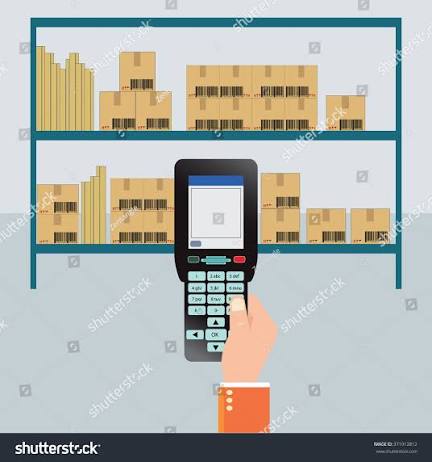
Linking the two systems fixes the flow of data. It doesn’t fix bad data at the source. If a product has no barcode, a label won’t scan, or receiving is done loosely, the integrated system faithfully passes along the wrong numbers.
That’s why integration projects succeed or fail on the data-capture layer:
- Clean, scannable barcodes on every product, printed with a suitable label printer
- Reliable scanners at the counter, matched to the barcode types you actually use
- Mobile computers for receiving and stock counts, so stock coming in is recorded as carefully as stock going out
- RFID, where it fits, for faster counts across large or high-volume ranges
Pointus supports retail with barcode scanning at the point of sale, inventory accuracy, and loss-prevention tagging, alongside the scanners, printers, mobile computers, and RFID that capture the data in the first place.
Common Ways to Connect POS and Inventory
| Approach | How It Works | Suits |
|---|---|---|
| POS with built-in inventory | Stock tracking is a native feature of the POS | Single stores or small chains with straightforward needs |
| POS connected to an ERP | Sales feed the ERP’s inventory and accounting modules | Businesses already running an ERP for finance and purchasing |
| POS connected to a WMS | Store sales and warehouse stock stay aligned | Retailers with a warehouse or distribution centre behind the stores |
| Connected via APIs or middleware | A connector moves data between separate systems | Mixed or legacy systems that don’t connect natively |
Legacy systems can be harder to connect, and delays in syncing can cause discrepancies, so ask whether the link is real-time or batch before you commit.
Signs You Need Integration Now
- Stock counts regularly disagree with what’s physically on the shelf
- Staff spend time every day or week reconciling sales and stock
- You’ve sold items you didn’t have, in-store or online
- You sell through more than one channel or location
- Reorders happen late, or you discover stockouts from customers
- Prices differ between your POS, website, and shelf labels
- You can’t trust your own reports without double-checking them
Even a single store can benefit once the product range grows beyond a handful of items, since manual counts become slow and error-prone.
Recognise a few of these? Share how many items, locations, and channels you manage and we’ll tell you where to start.
How to Choose and Plan an Integration
Step 1: List Every System That Touches Stock
POS, online store, ERP, warehouse, accounting. Know what needs to connect and which one should be the source of truth for stock.
Step 2: Ask Whether Sync Is Real-Time
Instant updates prevent overselling. Delayed or batch syncs leave a window where counts are wrong.
Step 3: Check Coverage Beyond Sales
Confirm returns, exchanges, transfers, and stock adjustments all update inventory, not only completed sales.
Step 4: Confirm Hardware Compatibility
Check that your barcode scanners, label printers, and mobile computers work with the system, and plan for any that need replacing.
Step 5: Plan for Multiple Locations and Growth
If you add stores or channels, choose a setup that keeps every location on one live stock view rather than one that needs rebuilding later.
Step 6: Clean Your Product Data First
Make sure every product has a unique, scannable barcode and a correct record before go-live. Integration multiplies whatever quality the data already has.
Common Mistakes
Connecting Systems Without Fixing the Data
Duplicate SKUs, missing barcodes, and inconsistent product names will follow the data into the new system and keep counts wrong.
Accepting Batch Sync Without Asking
A nightly sync can still allow overselling during the day. Know exactly how often data moves.
Ignoring Receiving and Stock Counts
Accurate sales deductions mean little if incoming stock is recorded loosely. Capture goods-in as carefully as goods-out.
Skipping Staff Training
Staff who bypass the scanner or override stock manually reintroduce the errors integration was meant to remove.
Not Testing Before Go-Live
Run a pilot at one location or on one category first, and confirm sales, returns, and transfers all update stock correctly.
Choosing a Partner in Kuwait
A good integration depends on the whole chain: the data capture, the systems it flows into, and the people who set it up. Pointus Solutions supplies Auto-ID and data-capture hardware including barcode scanners, label printers, mobile computers, and RFID, along with ERP and Supply Chain & Warehouse Management software for the stock data to flow into.
Pointus is an authorized partner for SAP and Microsoft on the software side, and for hardware brands including Zebra, Honeywell, Datalogic, Sunmi, Star Micronics, and Epson, with more than 10 years of experience across 9 industries, including retail.
Pointus is based at Zainah Tower, Office B-15, Tunisia Street (Opp. Xcite), Hawally, Kuwait.
Ready to connect your POS and stock? Reach out with your setup and we’ll recommend the right approach.
A Simple Checklist Before You Integrate
Before connecting POS and inventory, confirm these points:
- Which systems hold stock data today, and which should be the source of truth?
- Does every product have a unique, scannable barcode?
- Is the sync real-time, and does it cover returns, exchanges, and transfers?
- Do you sell across more than one channel or location?
- Do your scanners, printers, and mobile computers work with the new setup?
- How will incoming stock be recorded at receiving?
- Who will own product data and stock adjustments after go-live?
- Have you piloted it at one location or category first?
Answering these first avoids the usual outcome: two connected systems confidently agreeing on the wrong number.
Conclusion
Integrating POS with inventory management turns every sale into an automatic stock update. That removes the re-keying, the end-of-day reconciliation, and the blind spots that cause stockouts, overselling, and inconsistent prices.
Staying disconnected doesn’t fail loudly. It fails gradually, through small mismatches that build into lost sales, wasted time, and decisions made on numbers nobody trusts. The catch is that integration only helps if the data going in is accurate, so barcodes, scanners, and receiving discipline matter as much as the software link.
For retailers in Kuwait, Pointus Solutions supplies the data-capture hardware and the ERP and warehouse software behind accurate stock, so the numbers your POS shows are the numbers on your shelves.
Ready to Make Your Stock Count Match the Shelf?
Talk to Pointus Solutions about connecting your POS and inventory with the right hardware and software.
POS and Inventory Integration, Answered
It means sales, returns, and exchanges at the point of sale automatically update your stock records, so inventory reflects what actually happened at the counter without manual re-entry.
Real-time stock accuracy, less manual data entry and fewer errors, faster reconciliation, protection against stockouts and overselling, and better reporting from connected data.
Manually coordinating updates between systems can lead to stockouts, double-selling, reconciliation delays, and inconsistent pricing, along with time lost to re-keying data and decisions based on inaccurate stock figures.
It greatly reduces the risk. When in-store and online channels share one live stock count, the system doesn’t keep selling units that are already gone, provided the sync is real-time.
Yes. Delays in syncing can cause discrepancies, and a batch update leaves a window where counts are wrong, so confirm how often data moves before choosing a solution.
It helps even a single location once the product range grows past a small handful of items, since manual counts become time-consuming and error-prone.
Yes. POS data can feed an ERP’s inventory and accounting modules or a warehouse management system, keeping store sales and back-end stock aligned.
No. Integration passes data between systems but doesn’t correct bad data at the source. Missing barcodes, duplicate SKUs, and careless receiving need fixing first for the numbers to be right.
Barcode scanners at the counter, label printers for clean scannable labels, mobile computers for receiving and stock counts, and RFID where faster counts across large ranges are needed.
Pointus Solutions supplies barcode scanners, label printers, mobile computers, RFID, and ERP and warehouse management software, and is an authorized partner for brands including Zebra, Honeywell, Datalogic, SAP, and Microsoft in Kuwait.