
How to Choose a Barcode Label Printer for High-Volume Retail or Logistics
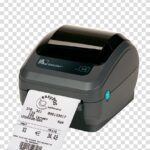
A printer that handles 50 labels a day at a small retail counter and a printer that needs to run thousands of shipping labels through a logistics hub are not interchangeable — even if they look similar on a shelf. Buy the wrong one for high-volume use and you’ll find out fast: overheating print heads, jammed ribbons, and a printer that needs replacing within a year instead of lasting several.
The mistake almost always comes down to the same thing: choosing a printer based on price or brand recognition instead of matching its duty cycle and feature set to the actual volume it will run.
This guide walks through exactly what to check before buying a barcode label printer for high-volume retail or logistics, with real printer examples to show what those specs look like in practice.
Printing more labels than your current printer can handle? Tell us your daily volume and we’ll recommend a printer built for it.
What “High-Volume” Actually Means for a Printer
“High-volume” isn’t a fixed number — it’s really about duty cycle: how many hours a day the printer runs and how many labels it produces without a break. A retail counter printing receipts intermittently all day has a very different duty cycle from a logistics hub printing shipping labels back-to-back during a shift.
Printers are generally built around three duty tiers:
- Light/desktop duty — intermittent printing, lower daily label counts, typically a 4-inch desktop printer
- Mid/flexible duty — steadier daily volume, sometimes needing both direct thermal and thermal transfer capability from the same unit
- Industrial/high-volume duty — continuous, near-constant printing across long shifts, built with larger ribbon rolls, metal frames, and components rated for sustained use
Buying below your actual duty tier is the single most common cause of premature printer failure in high-volume retail or logistics operations.
What to Check Before You Buy
1. Print Speed
Measured in inches per second (ips), print speed determines how many labels a printer can realistically output per hour. A printer with a higher ips rating keeps up with peak shipping or checkout periods without creating a backlog.
2. Direct Thermal vs Thermal Transfer
Short-lived labels (shipping, receipts) suit direct thermal, which needs no ribbon. Labels that need to last months or face heat, abrasion, or chemicals need thermal transfer, which uses a ribbon for more durable prints. Some printers support both, which matters if your label mix varies.
3. Print Resolution
203 dpi is the standard for most barcode and shipping label applications. Higher resolutions (300 dpi) matter more for small, dense barcodes or detailed graphics than for standard shipping labels.
4. Connectivity
High-volume environments benefit from printers with Ethernet and USB Host connectivity at minimum, so the printer can sit on a network and be managed centrally rather than tethered to a single workstation. Bluetooth adds flexibility for mobile or semi-mobile stations.
5. Memory and Processing
Printers handling complex label formats or high print queues benefit from more onboard memory (RAM and flash storage), reducing the chance of the printer choking on back-to-back print jobs.
6. Media Handling and Ribbon Capacity
For thermal transfer, larger ribbon rolls mean fewer stoppages to reload — a meaningful factor when a printer is running continuously during a shift. Movable or flexible media sensors also matter if label sizes vary across jobs.
7. Build and Duty Rating
A desktop printer’s plastic housing isn’t built for the same wear as a metal-framed industrial unit. Match the physical build to how many hours a day, and how continuously, the printer will actually run.
Not sure which duty tier your operation actually needs? Tell us your daily label volume and run pattern and we’ll help you size it correctly.
Real Printers and Where They Fit
Seeing actual specs side by side makes duty tiers concrete rather than abstract.
| Spec | Zebra ZD220d (Desktop) | Zebra ZD621R (Flexible) |
|---|---|---|
| Printing method | Direct thermal only | Direct Thermal, Thermal Transfer, Healthcare, or RFID configurations |
| Print resolution | 203 dpi (8 dots/mm) | Up to 203 dpi or 300 dpi depending on configuration |
| Print speed | Up to 4 in/sec (102 mm/s) | Up to 203 mm/sec (203 dpi) or 152 mm/sec (300 dpi) |
| Max print width | 4.09 in (104 mm) | Industrial-class print width |
| Connectivity | USB 2.0 | USB, USB Host, RS232, Bluetooth (BLE), Ethernet |
| Memory | Not specified for this model | 256 MB SDRAM, 512 MB Flash |
| Best suited for | Lighter, intermittent printing — retail counters, offices, light warehousing | Higher, steadier volume needing network connectivity and flexible printing methods |
Zebra ZD220d — Entry-Level Direct Thermal
The Zebra ZD220d (Direct Thermal) is a 4-inch desktop printer built for everyday operations in retail, logistics, offices, and light warehousing, with dual-wall frame construction for enhanced durability over typical budget printers, and an OpenACCESS™ clamshell structure for simple media loading. It’s a solid fit for lighter, intermittent label runs — not a high-volume, continuous-duty environment.
Zebra ZD621R — Higher-Volume, Flexible Option
The Zebra ZD621R delivers consistent, high-quality label printing and is available in Direct Thermal, Thermal Transfer, Healthcare, and RFID configurations, with a movable media sensor for flexible label sizing and Ethernet connectivity for network deployment — a meaningfully stronger fit for steadier, higher-volume retail or logistics labeling than an entry-level desktop unit.
Don’t Forget the Labels and Ribbon
The printer is only half the cost and performance equation at high volume — the consumables need to match it too. Pointus stocks thermal transfer labels with top-grade adhesive across common sizes — including 58mm×38mm, 75mm×50mm, 100mm×150mm, 38mm×25mm, 50mm×25mm, and 75mm×25mm rolls — alongside wax ribbons for thermal transfer printing.
At high volume, ribbon roll length matters as much as label size: a shorter ribbon means more frequent reloads, which adds up to real downtime over a full shift of continuous printing.
Common Mistakes at High Volume
Buying a Desktop Printer for Industrial Volume
A desktop-class printer run at industrial scan-and-print volume will wear out and fail far sooner than its rated lifespan — the lower upfront cost loses to replacement frequency and downtime.
Ignoring Connectivity Needs
A USB-only printer tethered to one workstation becomes a bottleneck the moment multiple stations need to print. Network-capable printers (Ethernet, Wi-Fi) scale far better across a warehouse or multiple checkout points.
Underestimating Ribbon Consumption
At high print volume, frequent ribbon changes on a short-roll printer eat into productive time. Factor ribbon capacity into the total cost and workflow, not just the printer price.
Mismatching Label Stock to Printing Method
Running thermal transfer labels without a ribbon, or direct thermal labels through a thermal transfer setup, wastes consumables and produces poor results — confirm label stock matches the chosen printing method before bulk ordering.
Choosing a Barcode Printing Partner in Kuwait
Getting the right printer for high-volume retail or logistics means matching duty cycle, connectivity, and label compatibility to the actual operation — not just picking the cheapest or most familiar model.
Pointus Solutions is an authorized Zebra partner in Kuwait, supplying direct thermal and thermal transfer desktop and industrial printers alongside matched label and ribbon consumables, backed by more than 10 years of experience across 9 industries.
Pointus is based at Zainah Tower, Office B-15, Tunisia Street (Opp. Xcite), Hawally, Kuwait.
Ready to size the right printer for your volume? Reach out with your daily label count and we’ll match the printer, labels, and ribbon.
A Simple Checklist Before You Buy
Before choosing a barcode label printer for high-volume use, confirm these points:
- How many labels does the printer need to produce per day, and over what hours?
- Does the printer need direct thermal, thermal transfer, or both?
- What print speed (ips) keeps up with your peak periods?
- Does it need to sit on a network, or run from a single workstation?
- How much ribbon capacity do you need to avoid frequent reloads?
- Is the build quality (metal frame vs plastic housing) matched to your duty cycle?
- Does your label stock match the printing method you’ve chosen?
Answering these before purchasing avoids the two most expensive outcomes: a printer that fails early from being overworked, or paying for industrial-grade capacity a lighter operation doesn’t need.
Conclusion
Choosing a barcode label printer for high-volume retail or logistics comes down to matching duty cycle, printing method, connectivity, and ribbon capacity to how the printer will actually be used — not picking based on price or brand alone.
A desktop printer like the ZD220d suits lighter, intermittent printing well. A flexible, network-capable printer like the ZD621R is built for steadier, higher-volume demands. Getting the tier right the first time avoids the cycle of premature failure and repeat replacement that undersized printers create.
For retail and logistics operations in Kuwait choosing a printer for real volume, Pointus Solutions supplies Zebra printers matched to duty cycle, alongside compatible labels and ribbons.
Ready to Get the Right Printer for Your Volume?
Talk to Pointus Solutions about barcode label printers built for high-volume retail or logistics.
High-Volume Barcode Printers, Answered
Duty cycle — how many hours a day and how continuously the printer runs — matters more than any single spec. High-volume printers are built with larger ribbon capacity, sturdier frames, and components rated for sustained use.
It wears out and fails well before its expected lifespan — the lower upfront cost of a desktop printer is offset by more frequent replacement and downtime at industrial scan-and-print volumes.
It depends on the label’s lifespan needs, not volume alone. Short-lived labels like shipping labels suit direct thermal; labels needing to last longer or resist heat and abrasion need thermal transfer.
A USB-only printer is tied to a single workstation, which becomes a bottleneck when multiple stations need to print. Network-capable printers with Ethernet or Wi-Fi scale better across a warehouse or multiple checkout points.
It depends on peak-period label volume. A higher inches-per-second (ips) rating keeps up with checkout rushes or shipping surges without creating a print queue backlog.
Yes. Larger ribbon rolls mean fewer stoppages to reload during continuous printing, which meaningfully reduces downtime across a full shift at high volume.
Yes, some models do. The Zebra ZD621R, for example, is available in Direct Thermal, Thermal Transfer, Healthcare, and RFID configurations, offering flexibility for mixed label types.
203 dpi is standard for most barcode and shipping label applications. Higher resolutions like 300 dpi matter more for small, dense barcodes or detailed graphics.
It helps ensure compatibility. Matching the label stock, ribbon type, and printer as a complete set reduces the risk of poor print quality or printer errors from mismatched consumables.
Pointus Solutions is an authorized Zebra partner supplying direct thermal and thermal transfer printers, matched labels, and ribbons across Kuwait.