
ERP vs. WMS Software: What’s the Difference (and Do You Need Both)?
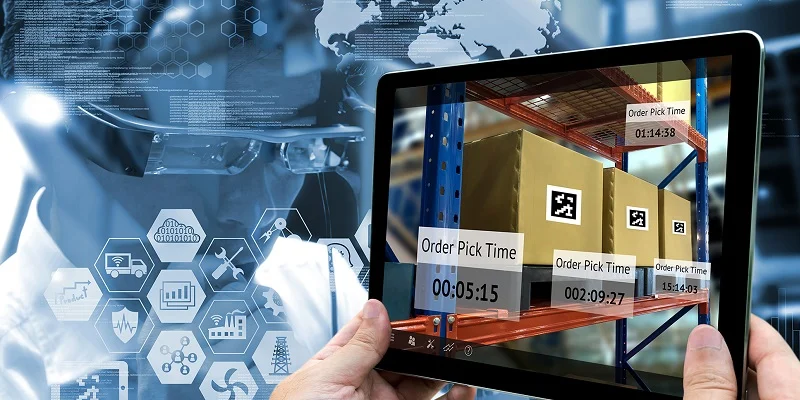
“We already have an ERP, why do we need a WMS too?” is one of the most common questions a growing business asks right before its warehouse operations start falling behind everything else the company does well.
The confusion is understandable — most ERP systems do include some kind of warehouse or inventory module, and on paper it looks like it covers the same ground a dedicated warehouse management system would. In practice, the two are built for different jobs, and the gap between them becomes obvious the moment a warehouse’s complexity outgrows what a general-purpose system was ever designed to handle.
This guide explains what ERP and WMS software actually do, where they overlap, and how to decide whether your business needs one, the other, or both working together.
Not sure if your ERP’s warehouse module is enough anymore? Tell us your warehouse size and order volume and we’ll help you assess the gap.
What Is ERP Software?
Enterprise Resource Planning (ERP) software connects the operational and commercial data across a business — sales, procurement, finance, HR, and accounting — into one integrated system. Its core purpose is transactional: linking what happens in the business to the financial and accounting decisions that follow from it.
Most ERP systems include a warehouse or inventory module as part of that broader suite. But because an ERP’s core logic is transactional in nature, its warehouse functionality tends to focus on the metrics that are immediately and obviously relevant from a financial point of view — stock value, purchase orders, basic inventory counts — rather than the operational detail of how goods actually move through a warehouse floor.
What Is WMS Software?
A Warehouse Management System (WMS) is software that streamlines every part of warehouse operations — from receiving and storage to picking, packing, shipping, and stock tracking, and all the steps in between. Its purpose is operational: increasing efficiency and reducing waste and costs on the warehouse floor itself, while improving labour management and customer and supplier relationships.
A WMS typically integrates with other tools and technologies including barcode scanning, transport management systems, and — critically — the company’s ERP, so warehouse activity and financial/business data stay connected rather than living in two disconnected systems.
ERP vs WMS: Side-by-Side Comparison
| Factor | ERP | WMS |
|---|---|---|
| Core purpose | Connect operational and commercial data to finance and accounting | Streamline warehouse operations — receiving to shipping |
| Scope | Business-wide: sales, procurement, finance, HR, accounting | Warehouse-specific: inventory, picking, packing, stock tracking |
| Depth on warehouse operations | Basic — tends to lack the sophistication of a dedicated WMS | Deep — purpose-built for warehouse workflows |
| Typical focus | Financially relevant metrics: stock value, purchase orders | Operational metrics: pick paths, put-away, labour, order accuracy |
| Integrates with | WMS, CRM, accounting, HR systems | Barcode scanning, ERP, transport management systems (TMS) |
| Best suited for | Businesses needing unified financial and operational visibility | Businesses with complex, high-volume warehouse operations |
There are three main types of WMS software: standalone systems (often on-premises, sometimes legacy), cloud-based systems, and WMS applications built directly into ERP or supply chain management platforms. That third category is exactly why the two get confused — an ERP’s built-in WMS module is real, but it’s typically the lightest-weight of the three options.
Wondering which category fits your operation? We can walk you through standalone, cloud-based, and ERP-integrated WMS options.
Why the Overlap Causes Confusion
Both systems can technically tell you “how much stock is in the warehouse.” That surface-level overlap is exactly why businesses assume their ERP’s inventory module is doing the same job a dedicated WMS would.
The difference shows up in the operational detail. An ERP’s warehouse module can usually tell you what’s in stock and its value. It’s far less likely to optimize which staff member picks which order in what sequence, direct put-away to the most efficient storage location, or manage wave picking across dozens of simultaneous orders — the kind of operational orchestration a dedicated WMS is built specifically to handle.
Similarly, supply chain management (SCM) software — which bundles warehouse management with transportation management and related functionality — focuses on operational needs the way a WMS does, but like ERP systems, it tends to lack the depth and configurability of a specialised, warehouse-only WMS.
Do You Need Both ERP and a Dedicated WMS?
The honest answer depends on the complexity and volume of your warehouse operations, not on company size alone.
ERP’s Built-In Module Is Probably Enough If:
- You operate a single, relatively small warehouse or storage location
- Order volume is low enough that basic stock counts and purchase orders cover your needs
- You don’t need advanced picking logic, wave planning, or labour optimization
- Your priority is financial visibility more than warehouse-floor efficiency
You Likely Need a Dedicated WMS If:
- You’re managing multiple warehouses or storage zones
- Order volume is high enough that picking efficiency directly affects fulfilment speed
- You need real-time visibility into receiving, put-away, picking, and shipping as distinct operational stages
- Your ERP’s inventory numbers are frequently out of sync with what’s physically on the shelf
- You need integration with barcode scanning and RFID for accurate, real-time stock tracking
Running Both Together
Most businesses that reach the second list don’t replace their ERP — they add a WMS that integrates with it. The ERP continues handling company-wide financial and business data, while the WMS manages the operational detail of the warehouse floor, feeding accurate stock and fulfilment data back into the ERP rather than duplicating its own financial functions.
Not sure which side of that line your operation falls on? Tell us your order volume and warehouse setup and we’ll give you a straight answer.
What a Dedicated WMS Actually Adds
Pointus’s Supply Chain & Warehouse Management solution covers inventory optimization, stock tracking, order fulfillment, and warehouse operations from receiving to shipping — the operational layer that a general-purpose ERP inventory module typically doesn’t go deep enough to handle at scale.
In practice, that means:
- Receiving — verifying inbound stock against purchase orders as it arrives, often via barcode or RFID scanning
- Put-away — directing stock to specific storage locations based on space, demand, and picking efficiency
- Picking and packing — optimizing the sequence and path staff take to fulfil orders accurately and quickly
- Shipping — confirming outbound orders match what was picked, before goods leave the warehouse
- Real-time stock tracking — keeping inventory counts accurate continuously, rather than relying on periodic manual counts
Choosing an ERP & WMS Partner in Kuwait
Getting this decision right means matching the software to your actual operational complexity — not assuming the ERP you already have is automatically enough, and not over-buying WMS capability a small operation doesn’t need.
Pointus Solutions supplies Supply Chain & Warehouse Management (WMS) software covering inventory optimization, stock tracking, order fulfillment, and warehouse operations from receiving to shipping, and is an authorized partner for SAP, a leading global ERP provider, alongside more than 10 years of experience across 9 industries in Kuwait.
Pointus is based at Zainah Tower, Office B-15, Tunisia Street (Opp. Xcite), Hawally, Kuwait.
Ready to close the gap between your ERP and your warehouse floor? Reach out with your setup and we’ll recommend the right approach.
A Simple Checklist Before You Decide
Before deciding between your ERP’s built-in module and a dedicated WMS, confirm these points:
- How many warehouses or storage locations do you operate?
- What’s your daily/monthly order volume, and is picking speed a bottleneck?
- How often does your ERP’s stock count disagree with the physical count?
- Do you need barcode or RFID integration for real-time tracking?
- Is your priority financial visibility, operational efficiency, or both?
- Would a dedicated WMS need to integrate with your existing ERP, or replace its inventory module entirely?
- What’s your growth plan — will warehouse complexity increase over the next 1–2 years?
Answering these before deciding helps avoid both under-investing in a growing operation and over-buying WMS capability a smaller operation doesn’t yet need.
Conclusion
ERP and WMS aren’t competing systems — they solve different problems at different depths. ERP connects your business’s operational and financial data into one system, with warehouse tracking as one piece of a much broader picture. A WMS goes deep on exactly the piece ERP treats lightly: the operational detail of receiving, put-away, picking, packing, and shipping.
Most small operations do fine on an ERP’s built-in module. Most growing operations, once order volume and warehouse complexity increase, add a dedicated WMS that integrates with their existing ERP rather than replacing it — keeping financial and operational data connected while giving the warehouse floor the depth it actually needs.
For businesses in Kuwait weighing this decision, Pointus Solutions supplies Supply Chain & Warehouse Management software and is an authorized SAP partner, helping businesses match the right combination of ERP and WMS to their actual operation.
Ready to Close the Gap Between ERP and Your Warehouse?
Talk to Pointus Solutions about whether a dedicated WMS makes sense alongside your existing ERP.
ERP vs WMS, Answered
ERP connects operational and commercial data across the whole business to finance and accounting. A WMS is purpose-built to streamline warehouse operations specifically — receiving, storage, picking, packing, and shipping.
Most ERP systems do include a warehouse module, but because the ERP’s core logic is transactional, that module tends to focus on financially relevant metrics rather than the operational depth of picking, put-away, and labour management a dedicated WMS provides.
It depends on warehouse complexity and order volume. Small, low-volume operations often manage fine on an ERP’s built-in module. Higher-volume or multi-warehouse operations typically need a dedicated WMS integrated with their ERP.
No. Most businesses add a WMS that integrates with their existing ERP — the ERP continues handling company-wide financial data while the WMS manages warehouse-floor operations and feeds accurate data back to the ERP.
Three main types: standalone systems (often on-premises), cloud-based systems, and WMS applications built directly into ERP or supply chain management platforms.
An ERP’s inventory module often relies on periodic updates rather than continuous, real-time tracking. A dedicated WMS, especially when integrated with barcode or RFID scanning, keeps stock counts accurate as items actually move through the warehouse.
SCM software bundles warehouse management with transportation management and broader logistics functionality. Like ERP, it tends to lack the depth and configurability of a specialised, warehouse-only WMS.
A WMS commonly integrates with barcode scanning, RFID, transport management systems, and the company’s ERP, keeping warehouse and business-wide data connected.
Signs include frequent stock discrepancies, slow or error-prone picking, difficulty managing multiple warehouses, and a growing need for barcode/RFID-driven real-time tracking — all signs a dedicated WMS would add real value.
Pointus Solutions supplies Supply Chain & Warehouse Management software and is an authorized SAP partner in Kuwait, helping businesses combine the right ERP and WMS setup for their operation.